
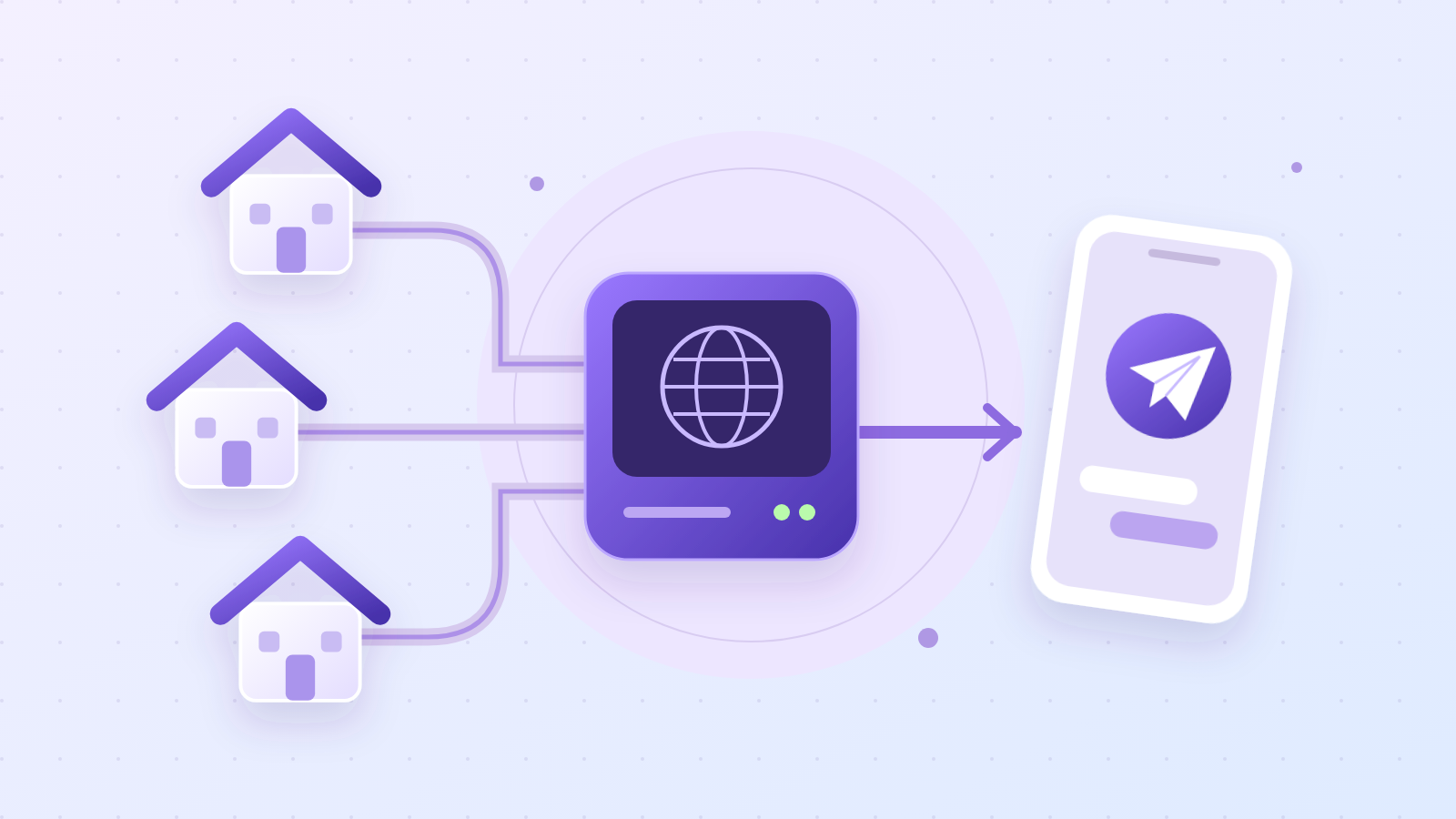
Why use residential proxies?
Residential proxies use IP addresses from home internet connections — like someone using Wi-Fi at home. Websites see a connection from a residential network rather than a server in a data center.
The main advantage is that you pay for traffic, not for each IP address. Buy gigabytes and use a large pool of addresses from different countries. That makes messaging and inviting across many accounts simpler: you do not have to buy a separate IP for each account.
How to buy proxies
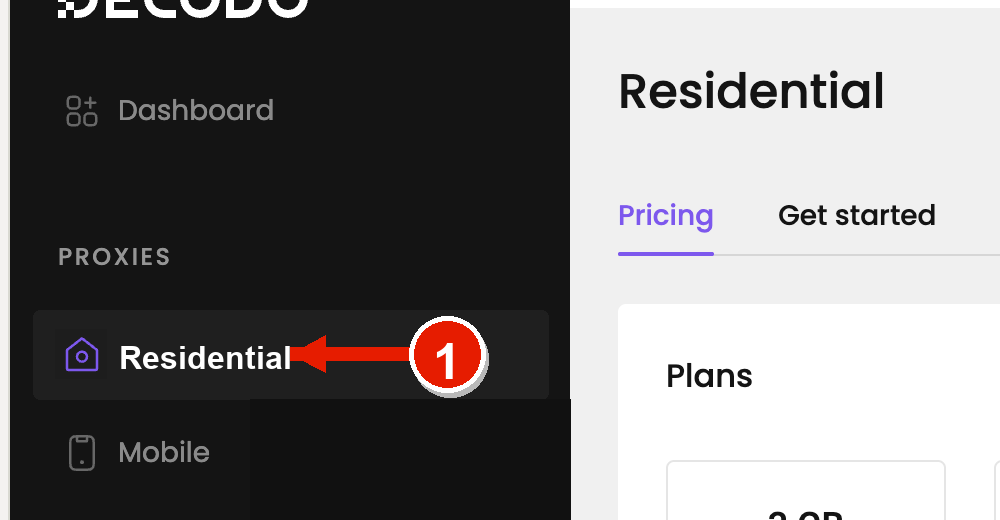
1. Open Residential
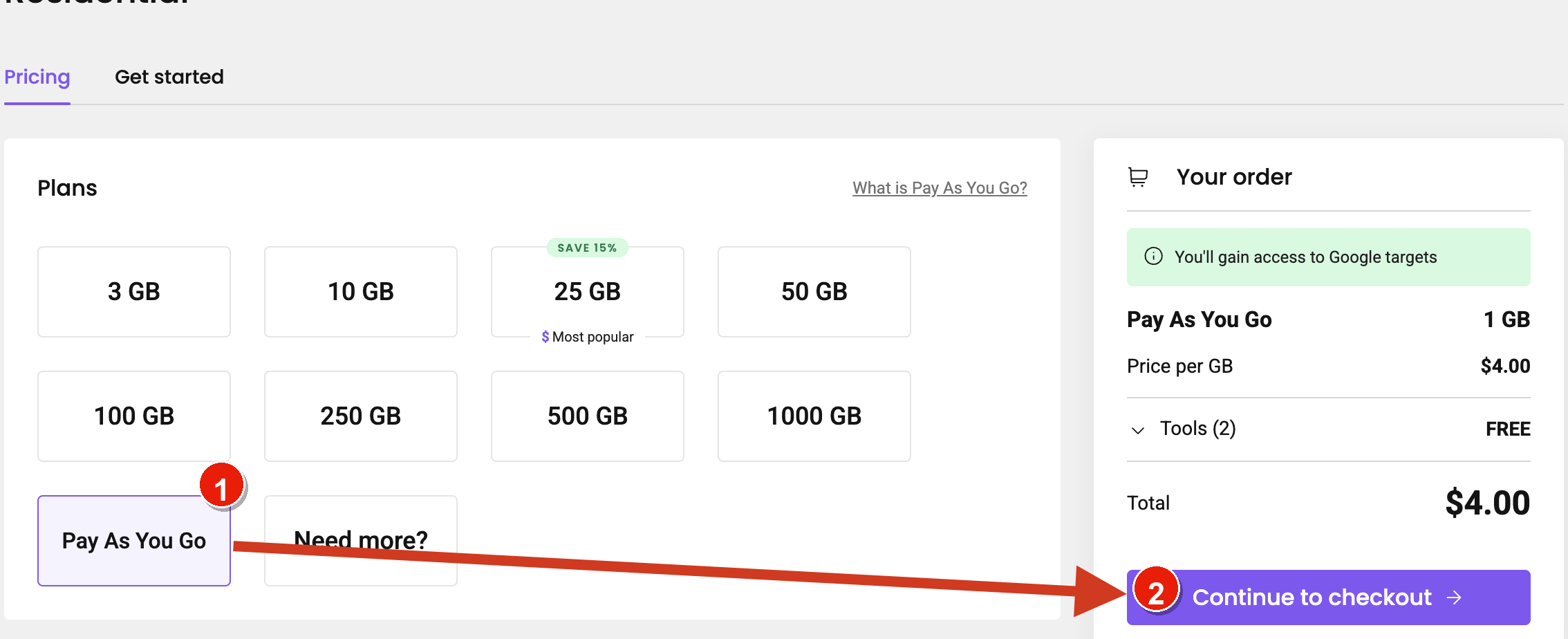
2. Choose traffic-based pricing
3. Top up your balance
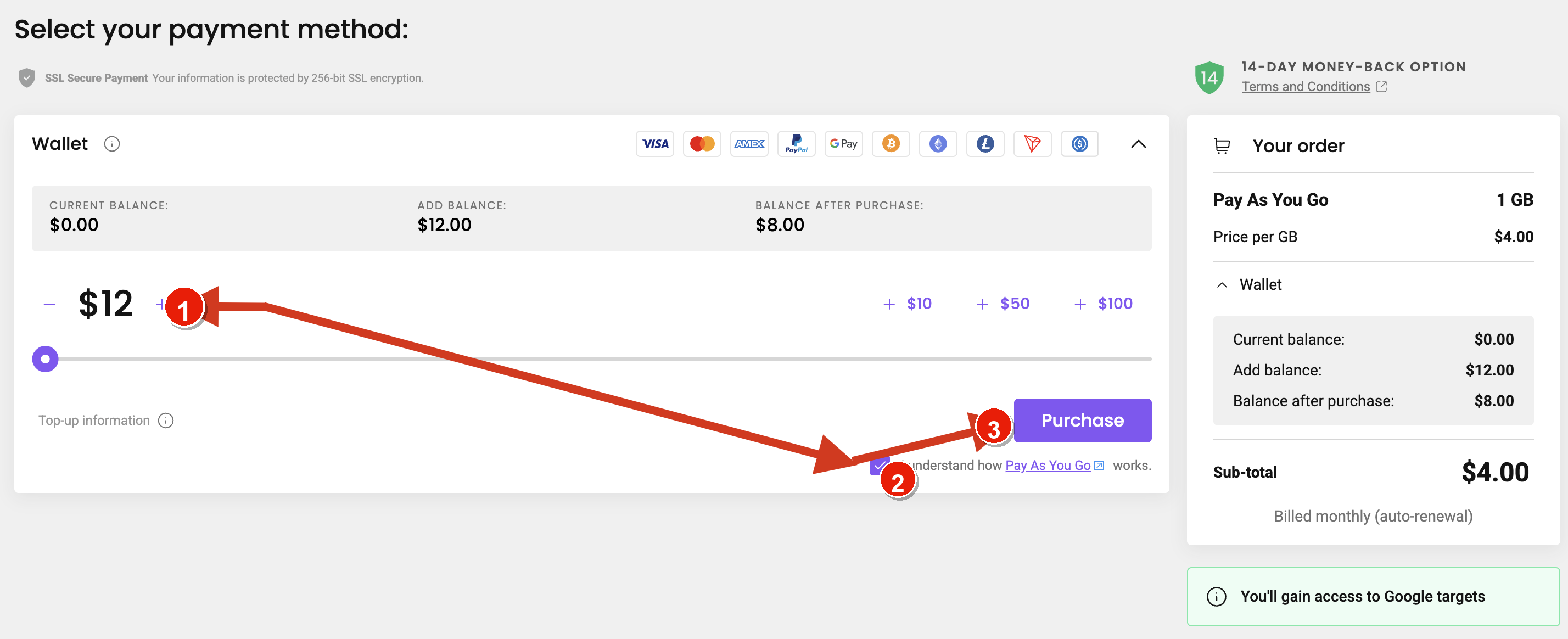
4. Complete payment
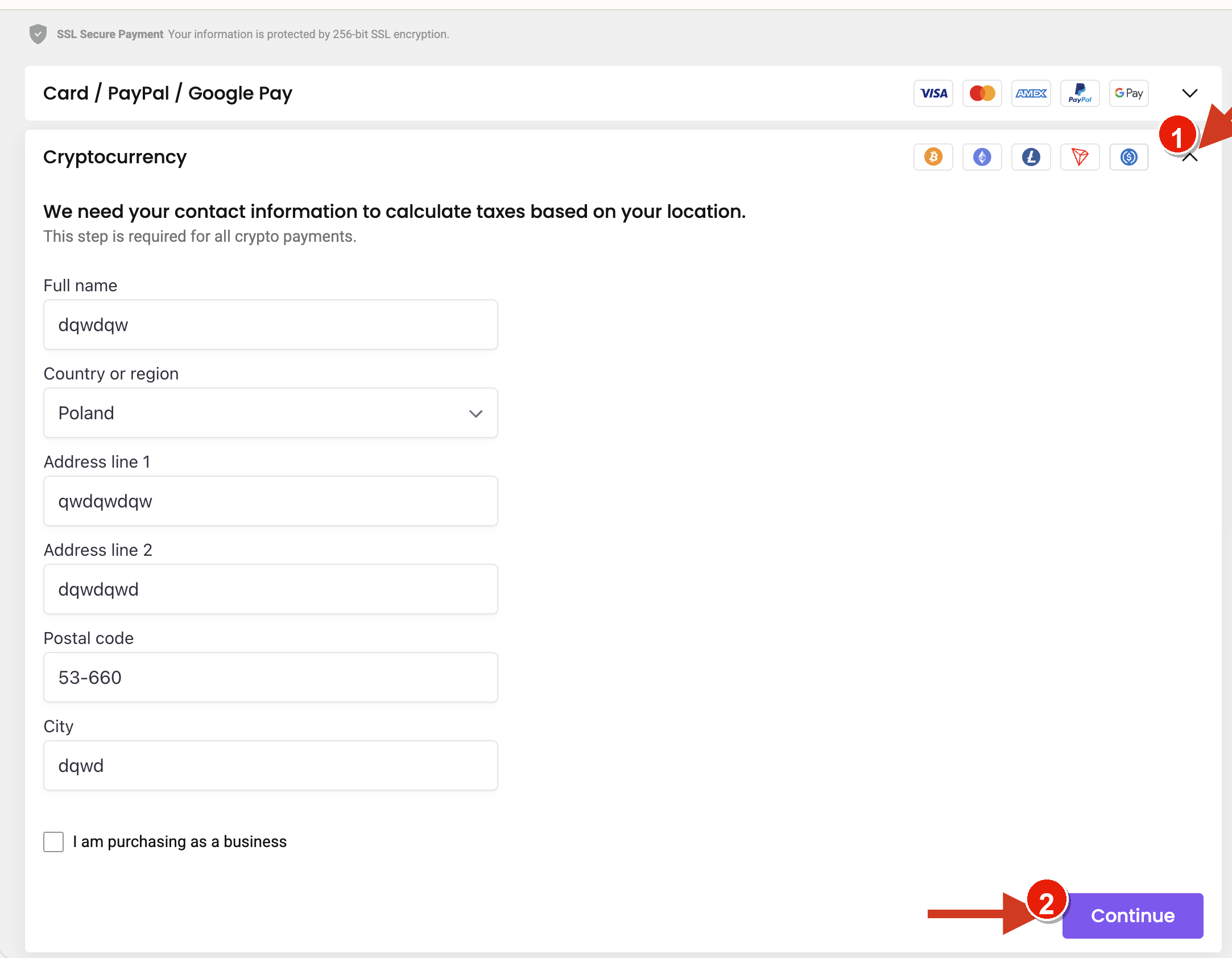
5. Copy 1,000 proxies
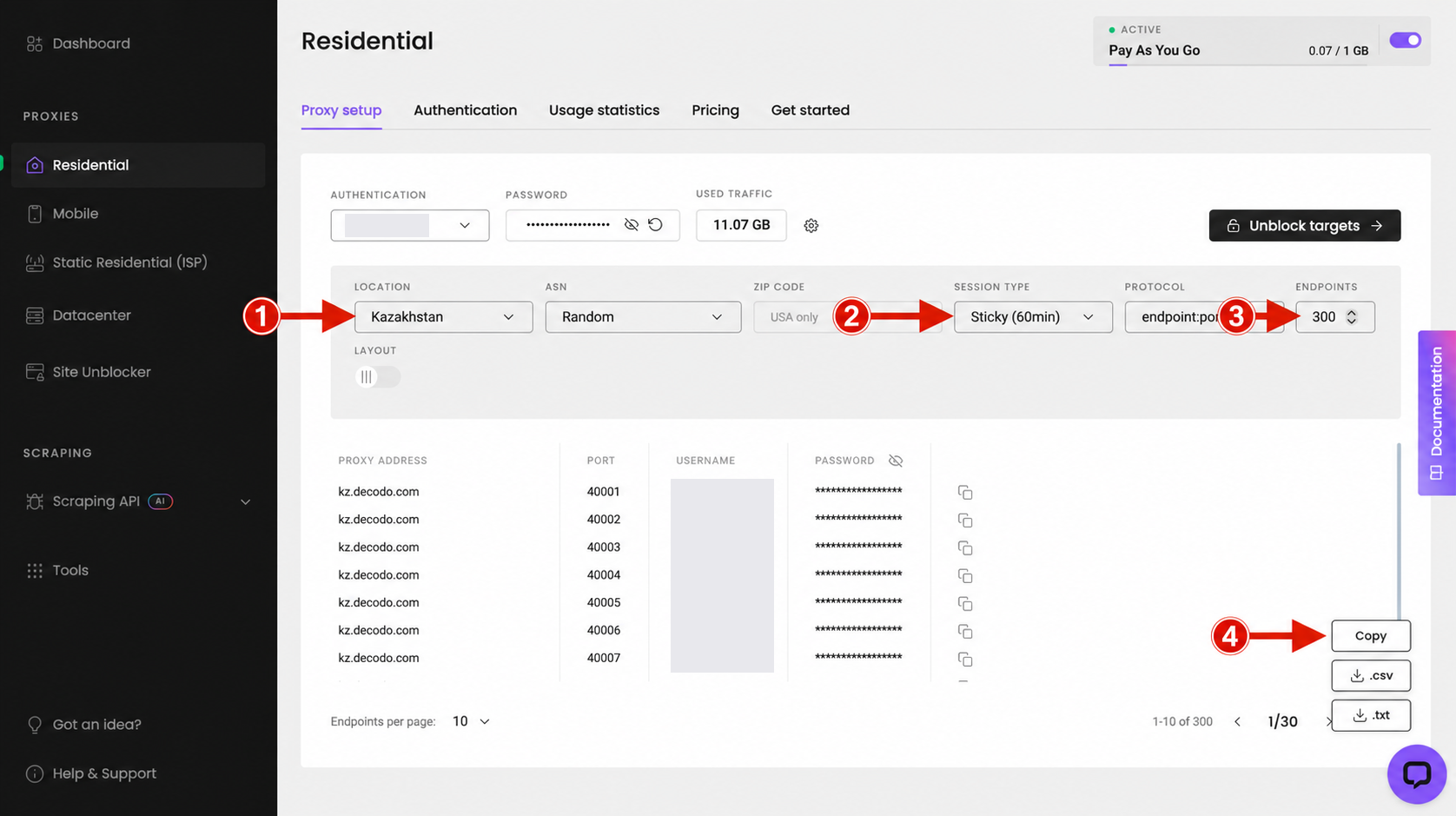
Paste the list into MegaTGAI — done
For these Decodo proxies, our software automatically sets the right country for each account. A Bulgarian account gets Bulgaria, for example, even if you selected a different country when buying the proxies. No need to sort your proxy list by country manually.