Hands-on · MegaTGAI
How to launch a Telegram messaging campaign with MegaTGAI
Setup → messages → audience → launch. Follow the steps right inside the app.
Click an image to view it at full size.
Start with the setup assistant
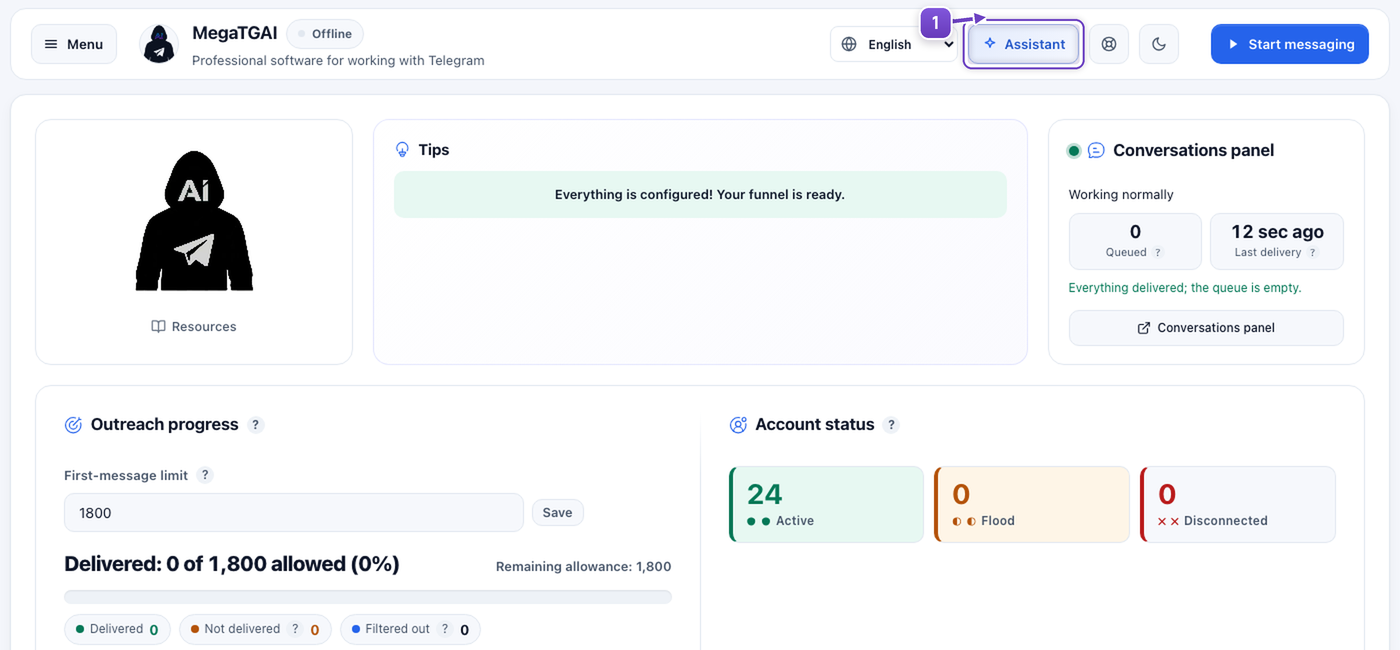
Click Assistant on the home screen. It already includes instructions and takes you through setup one step at a time. It is simple enough that a separate manual is unnecessary: so far, everyone we have worked with has figured it out.
Let AI help with messages and the funnel
Just three clicks:
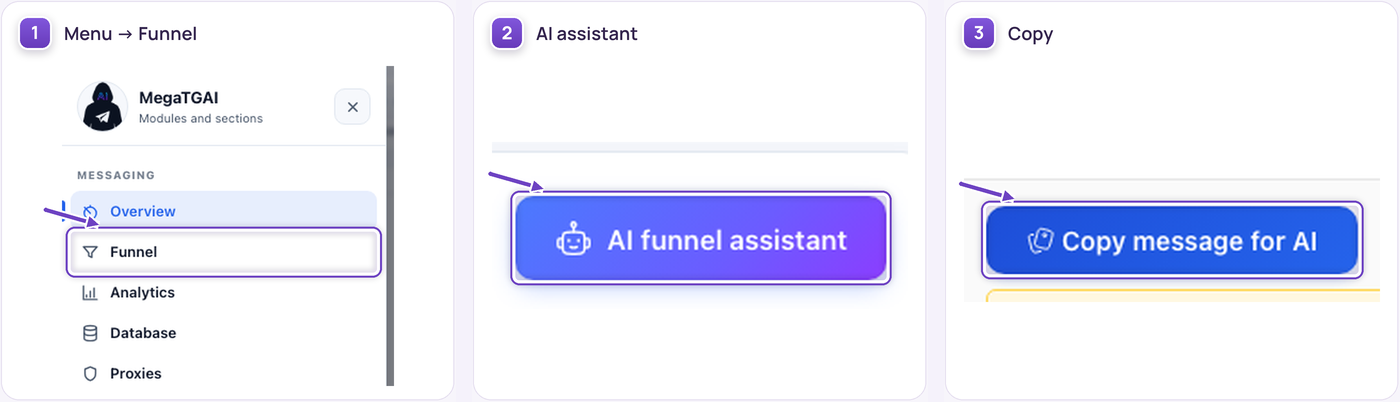
- Select Funnel in the menu.
- Click AI funnel assistant.
- Click Copy message for AI.
Paste the message into your AI agent: Antigravity, Codex, Cursor, OpenCode or another agent with access to the app's files. The instructions it needs are already included.
It will help write your opening messages, plan and configure the funnel, and test it. Only need a simple text-and-link campaign? Tell the agent.
The agent will show you the test results. To see how your AI responds yourself, click Test and message it as a customer.

Collect your audience
Open Audience → Audience collector.
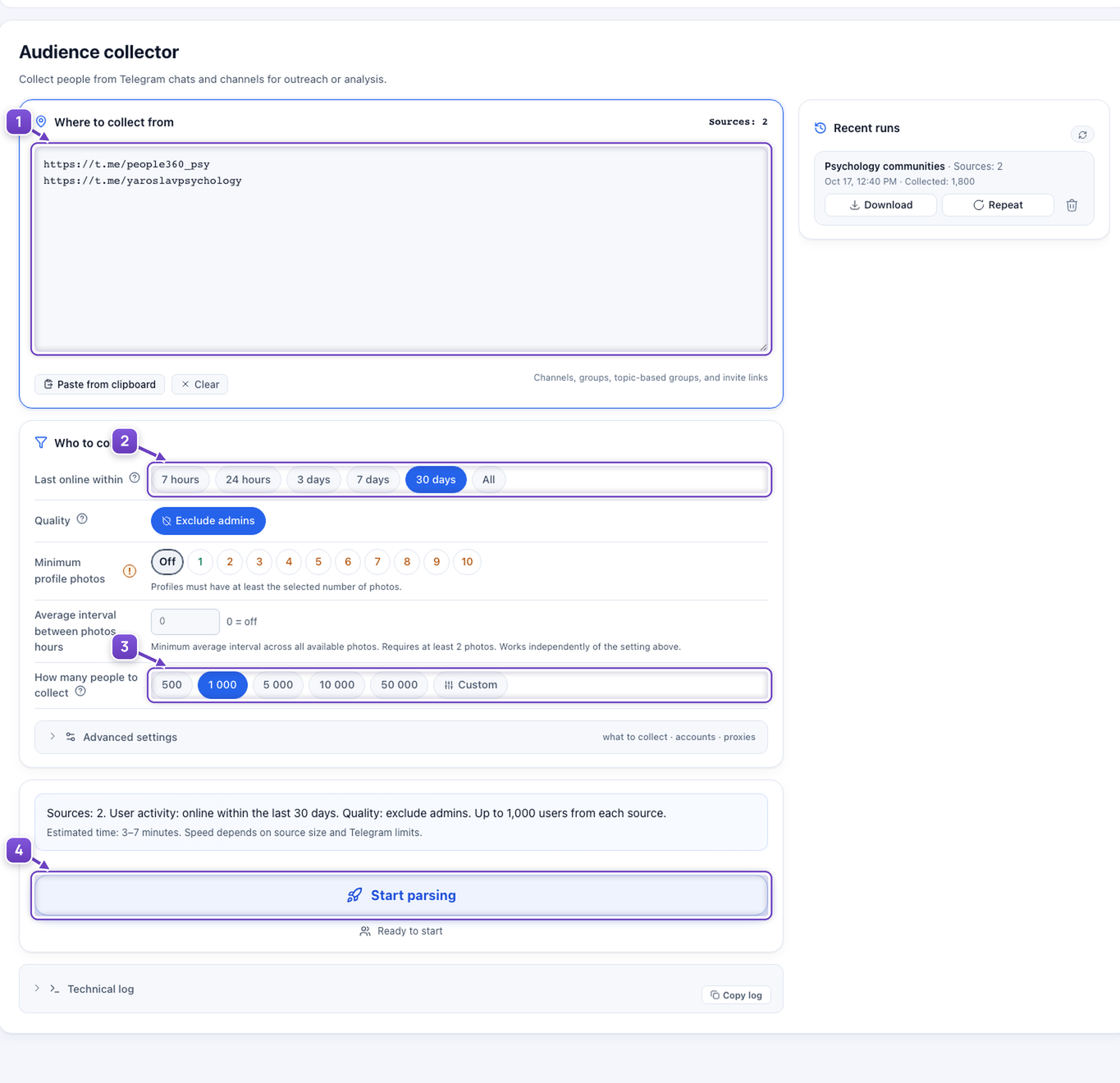
- Paste links to the chats and channels you want to use, one per line.
- Choose how recently people should have been online: within the last hours, days or any time.
- Set the approximate number of people the app should try to collect from each source.
- Click Start parsing and wait for the results.
Add the results to your database
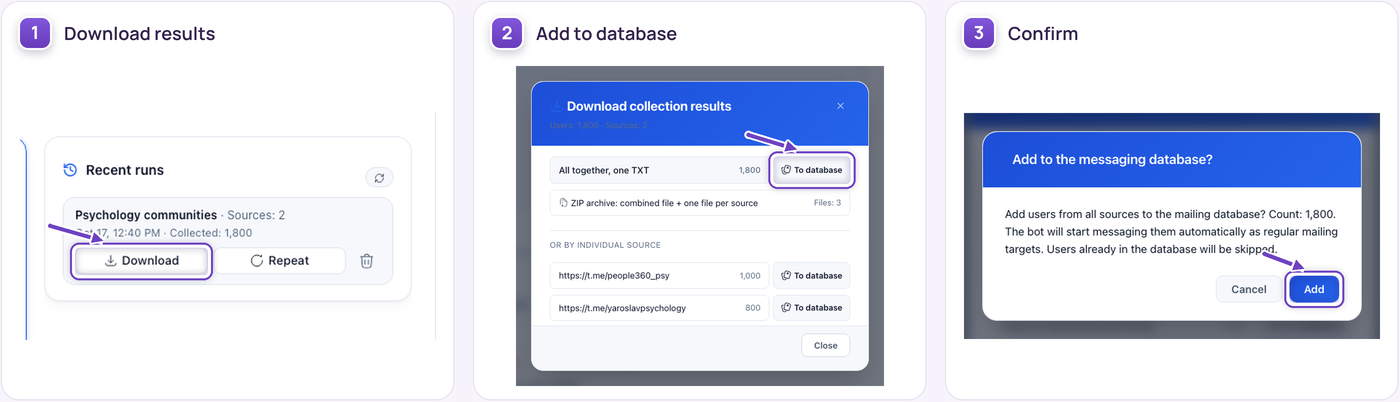
- Under Recent runs, click Download for the completed collection.
- Click To database beside the combined results.
- Confirm with Add. No need to download and transfer a file manually.
Launch your campaign
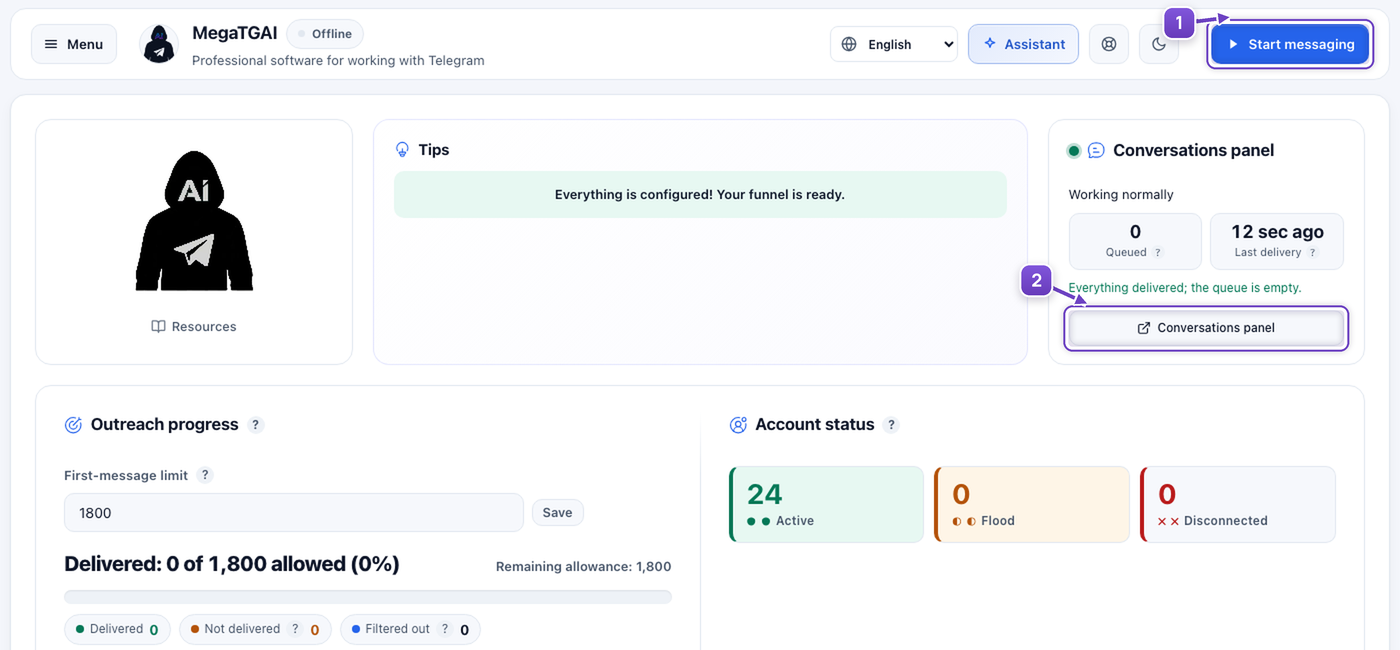
- Go back to Overview and click Start messaging.
- Open the Conversations panel in the same section.
Every conversation in one place
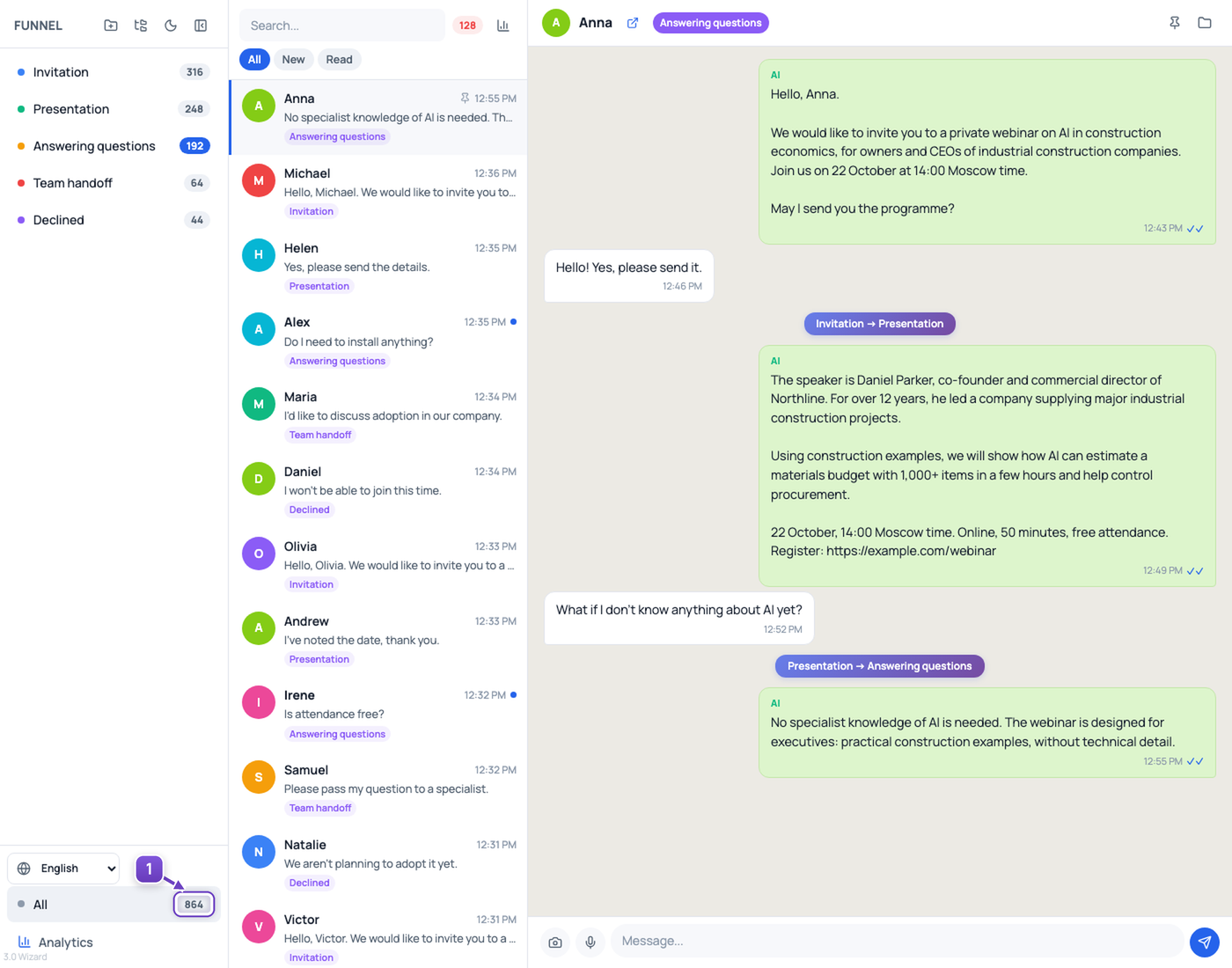
Conversations from all your accounts appear here. See what the AI writes and how people reply. You can step into a conversation whenever you need to.