
MegaTGAI · Practical guide
Parse Telegram channel members
Need a list of members from your channel? Open Audience → Collect from account: select an account, choose channels and get a list of usernames.
Click a screenshot to enlarge it.
Select an account and channels
The selected account must be a channel administrator to collect subscribers. Without admin access, the application collects writers and comments instead — not the full subscriber list.
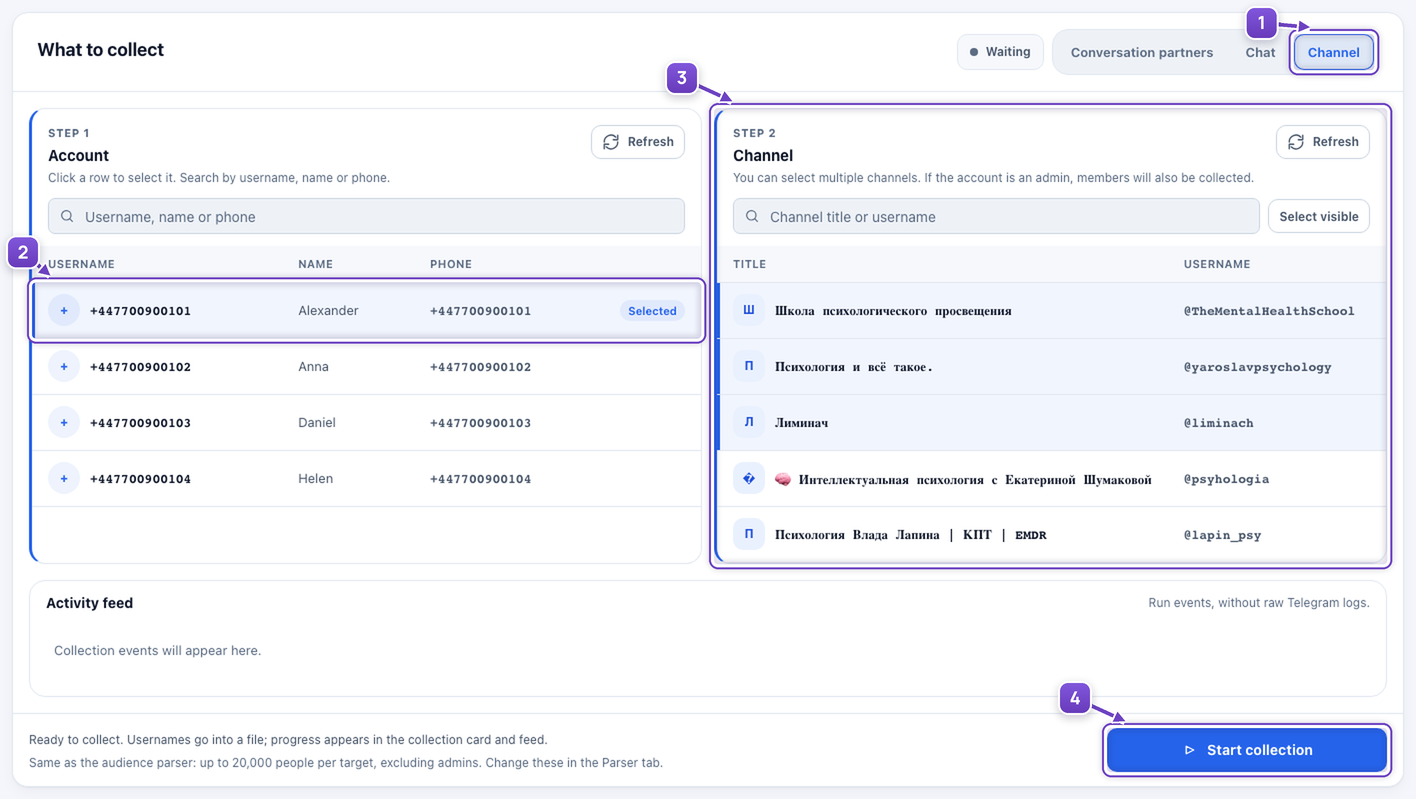
- Select Channel mode.
- Click the account you want to use.
- Select one or more channels from its list.
- Click Start collection.
Download the collected members
The application shows collection progress and the final count. Use the TXT file in your next audience workflow without copying people manually.
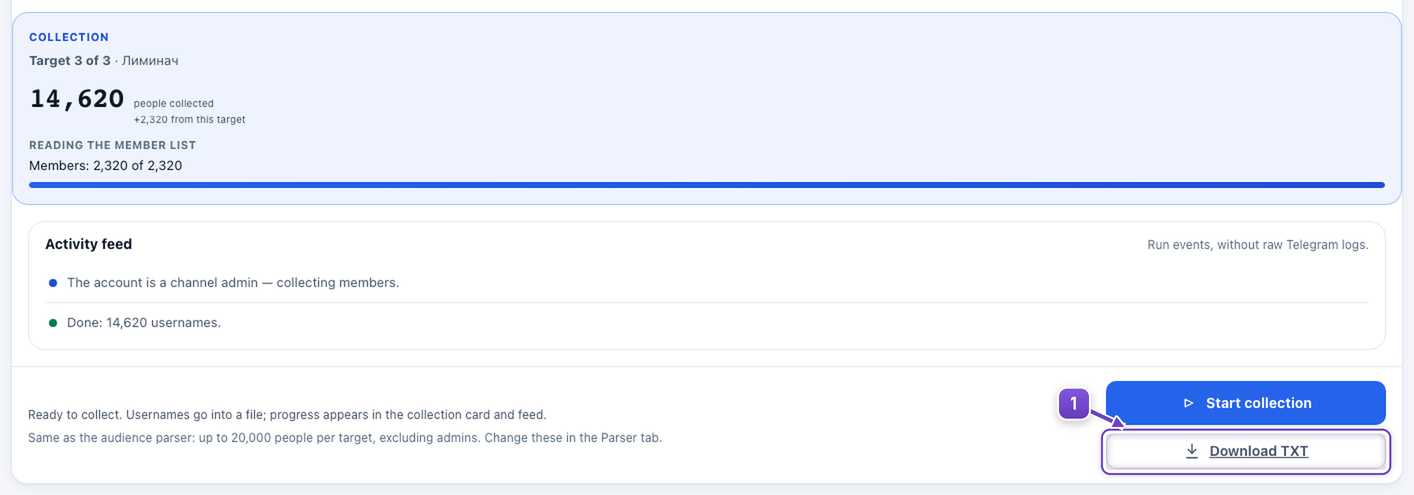
- Click Download TXT when collection finishes.
The file contains accessible users with usernames. The count depends on Telegram access and the filters shown at the bottom of the window.
Channel names are real. The accounts and results illustrate the workflow; these channels were not actually collected.