
MegaTGAI · Practical guide
Parse a Telegram group without its link
A private group has no public username and you no longer have its invite? If your account has already joined it, select the group directly from the list — no link is needed.
Click a screenshot to enlarge it.
Find the group in your account
Open Audience → Collect from account. No link is needed: the application lists groups the selected account has already joined. Search by name to find the right one.
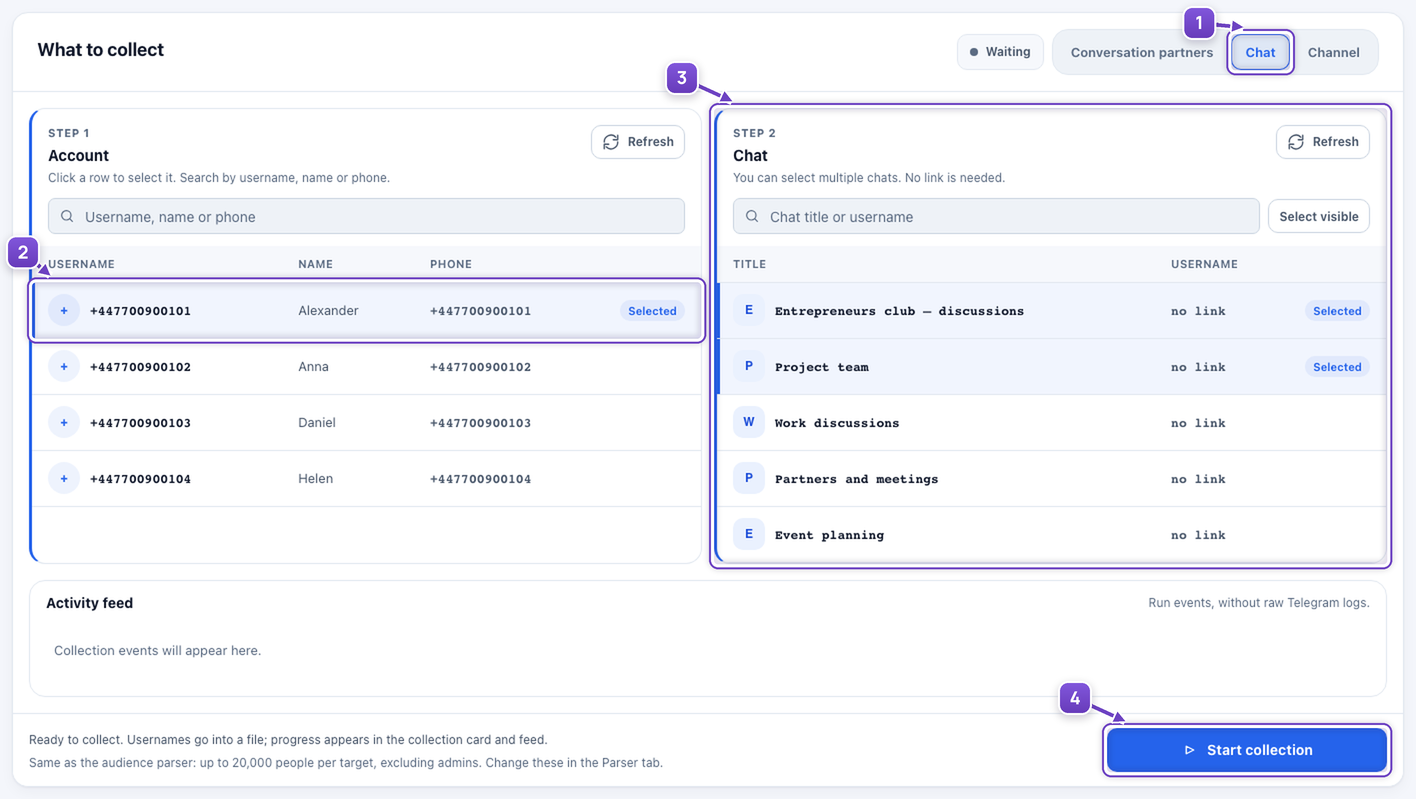
- Switch to Chat.
- Select an account that has joined the group.
- Select the groups you need.
- Click Start collection.
Get the ready-to-use list
Wait for collection to finish, then download usernames as TXT. Build an audience from your existing groups without tracking down invitations or copying links one by one.
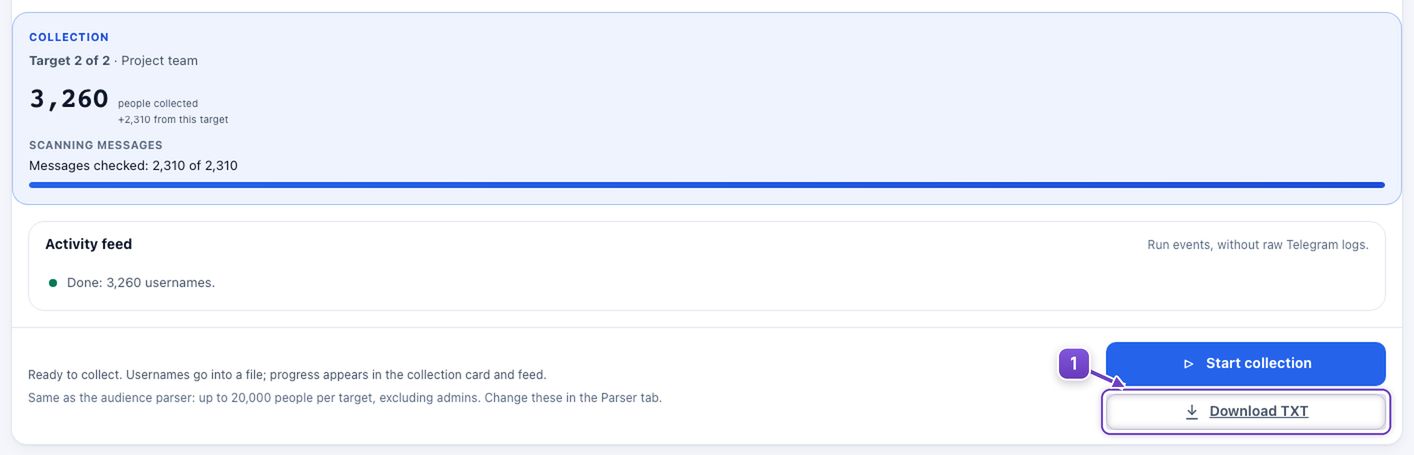
- Click Download TXT.
Group admin rights are not required, but the account must have access. This does not grant access to a private group the account has not joined.
Example private groups without public links. Names are anonymized and the result is illustrative.