
MegaTGAI · audience discovery
Find and select Telegram channels with AI
Provide one relevant channel and describe who you want to reach. MegaTGAI finds similar channels, and AI selects the matches.
Click a screenshot to enlarge it.
Provide an example and your criteria
Open “Channel search” in the MegaTGAI menu.
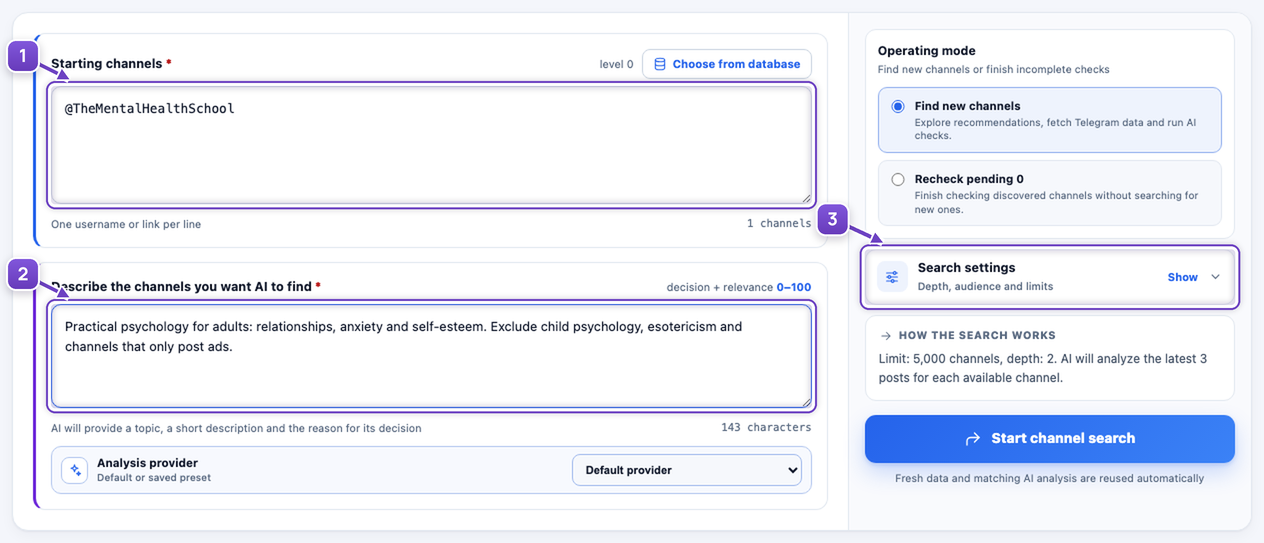
- Paste a relevant channel link. You can add several, one per line.
- Describe the topic and audience in your own words. Include what to exclude.
- Expand “Search settings” if you want to adjust the options.
For example: “Practical psychology for adults: relationships, anxiety and self-esteem. Exclude child psychology, esotericism and channels that only post ads.”
Set the search scope
Expand “Search settings” if needed. Choose values that suit your task.
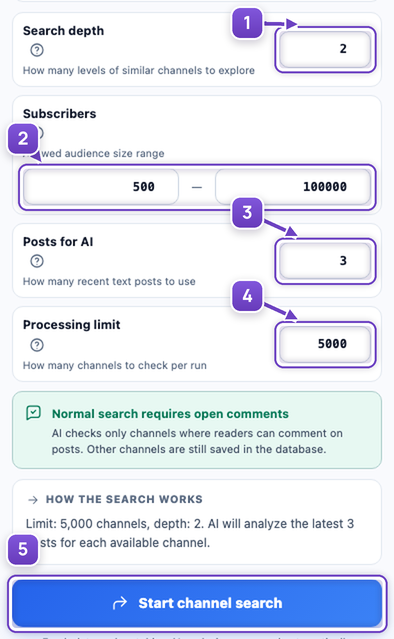
- Depth — how many rounds of similar channels to explore: similar to the seed, then similar to those found.
- Subscribers — the channel sizes you want.
- Posts for AI — how many recent posts to read.
- Processing limit — how many channels to check per run.
- Click “Start channel search”.
Review the AI decisions
The program explores similar channels. AI reads their details and posts, checks them against your criteria and explains its decision.
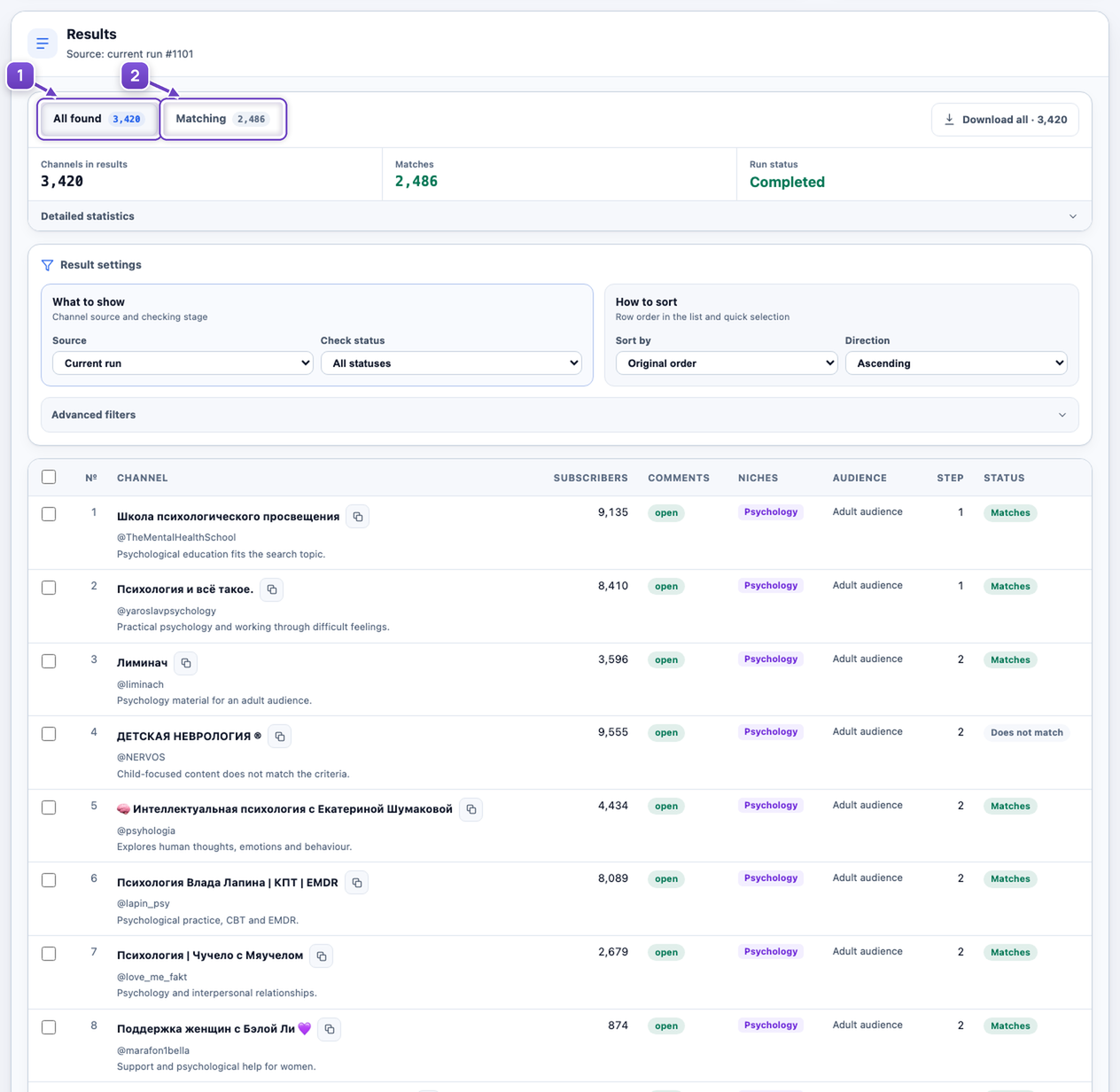
- “All found” shows channels and their statuses, including rejected ones.
- Switch to “Matching” to see only channels that passed the checks.
In a regular search, AI checks channels with open comments. The rest remain in the shared database.
Download your shortlist
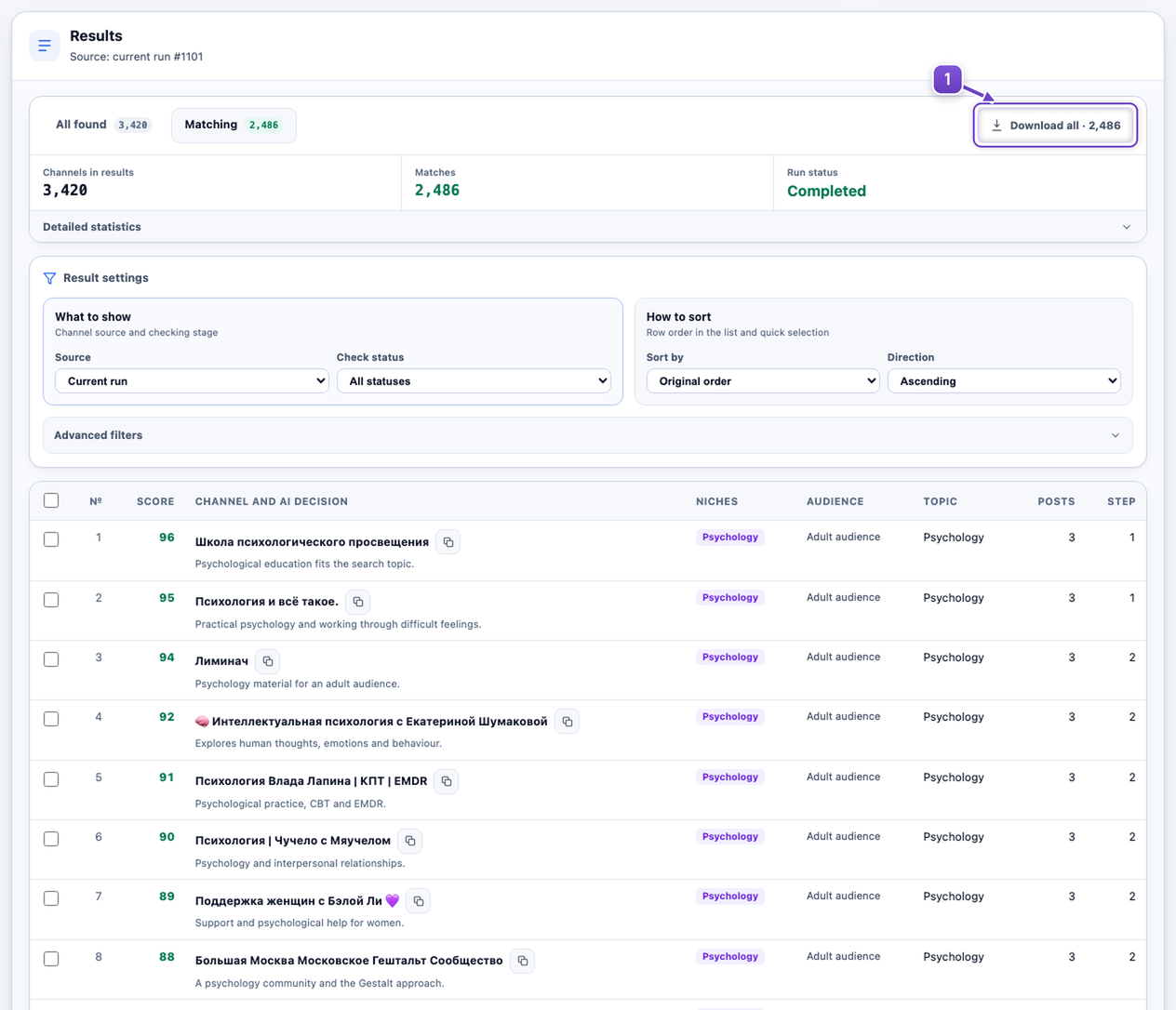
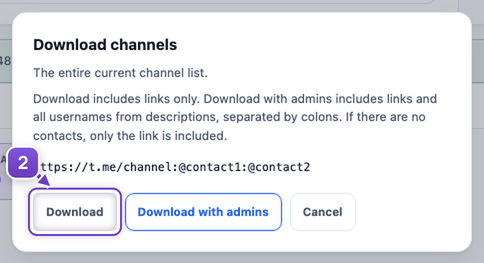
Screenshots show real public channels; totals and AI decisions are illustrative.
Next, collect an audience from these sources and launch your messaging campaign.
How to launch Telegram messaging →