
MegaTGAI · Practical guide
Join Telegram groups in bulk with automatic captcha handling
Load your group list and select accounts. MegaTGAI distributes the targets, performs the joins and shows the results — without opening every link manually.
Click a screenshot to enlarge it.
Add groups and select accounts
Open Communities → Joining. Paste public links or invitations. Targets are shared across selected accounts: each target goes to one account, not every account at once.
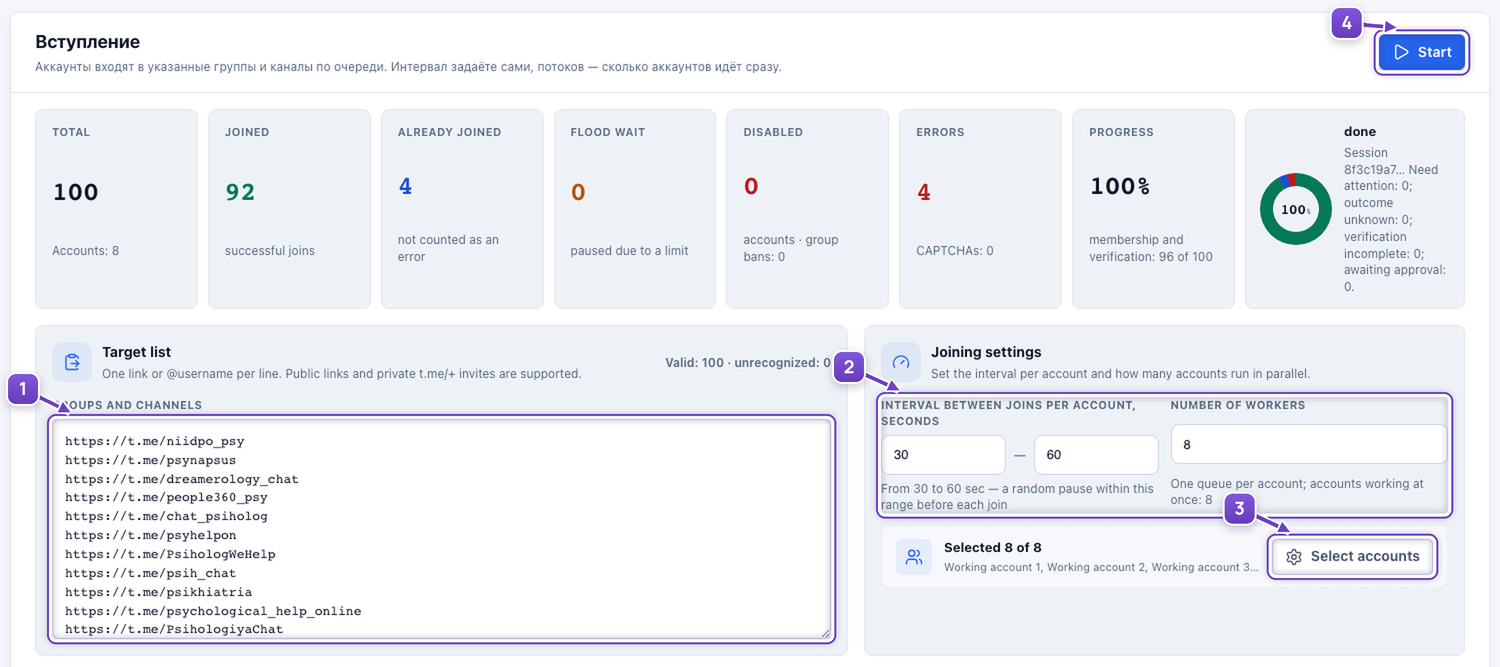
- Paste your group and channel list.
- Set the delay and number of accounts working concurrently.
- Choose the accounts to join.
- Click Start.
Set up captcha solving when joining
If a bot asks you to press a button, answer a question or solve a puzzle after joining, the application can handle the check. It supports sequences, text, logic and images in the group or the verification bot's private chat.
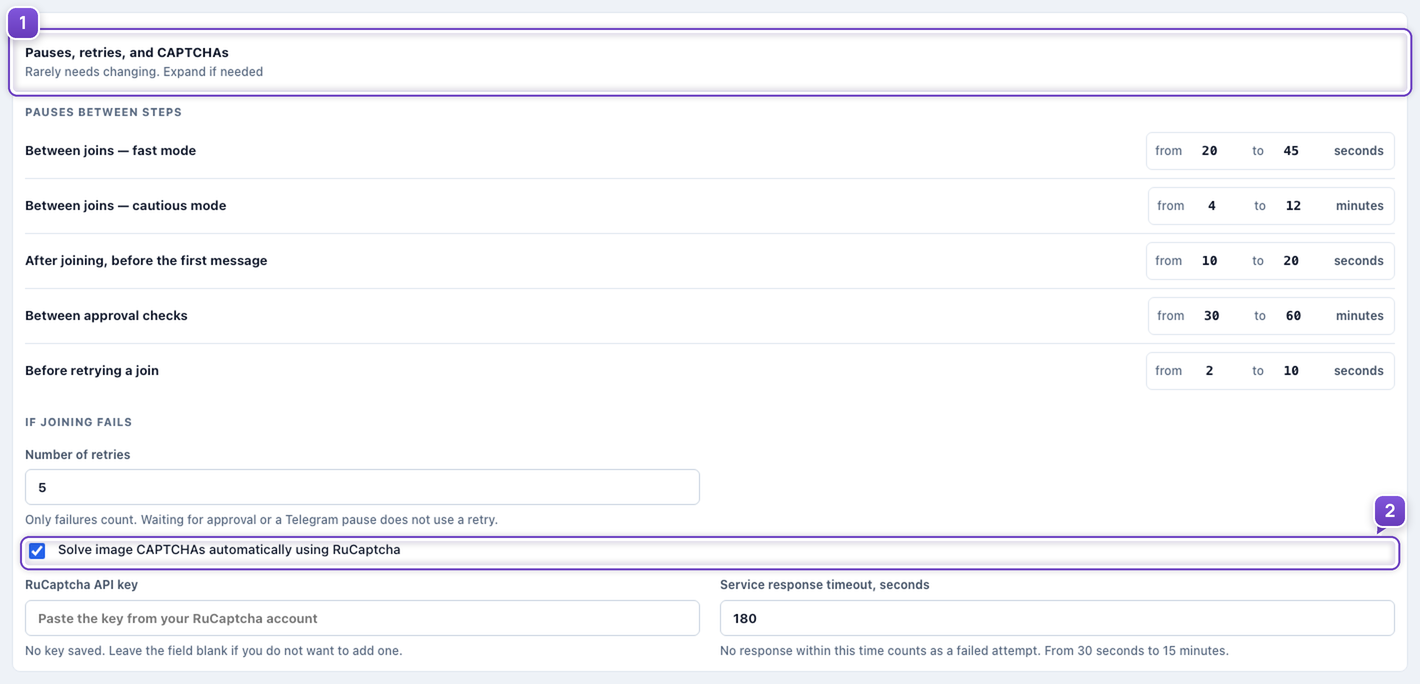
- Expand the delays, retries and image-check section in the joining settings.
- Enable the image-check service and enter your own RuCaptcha key when needed.
Configure the required AI model; image tasks need vision support. An unusual challenge may need human attention. A request to join a private group still requires an administrator's approval.
Track the results
One screen shows processed targets, successful joins and outstanding checks or waiting states. You do not need to inspect every session manually.
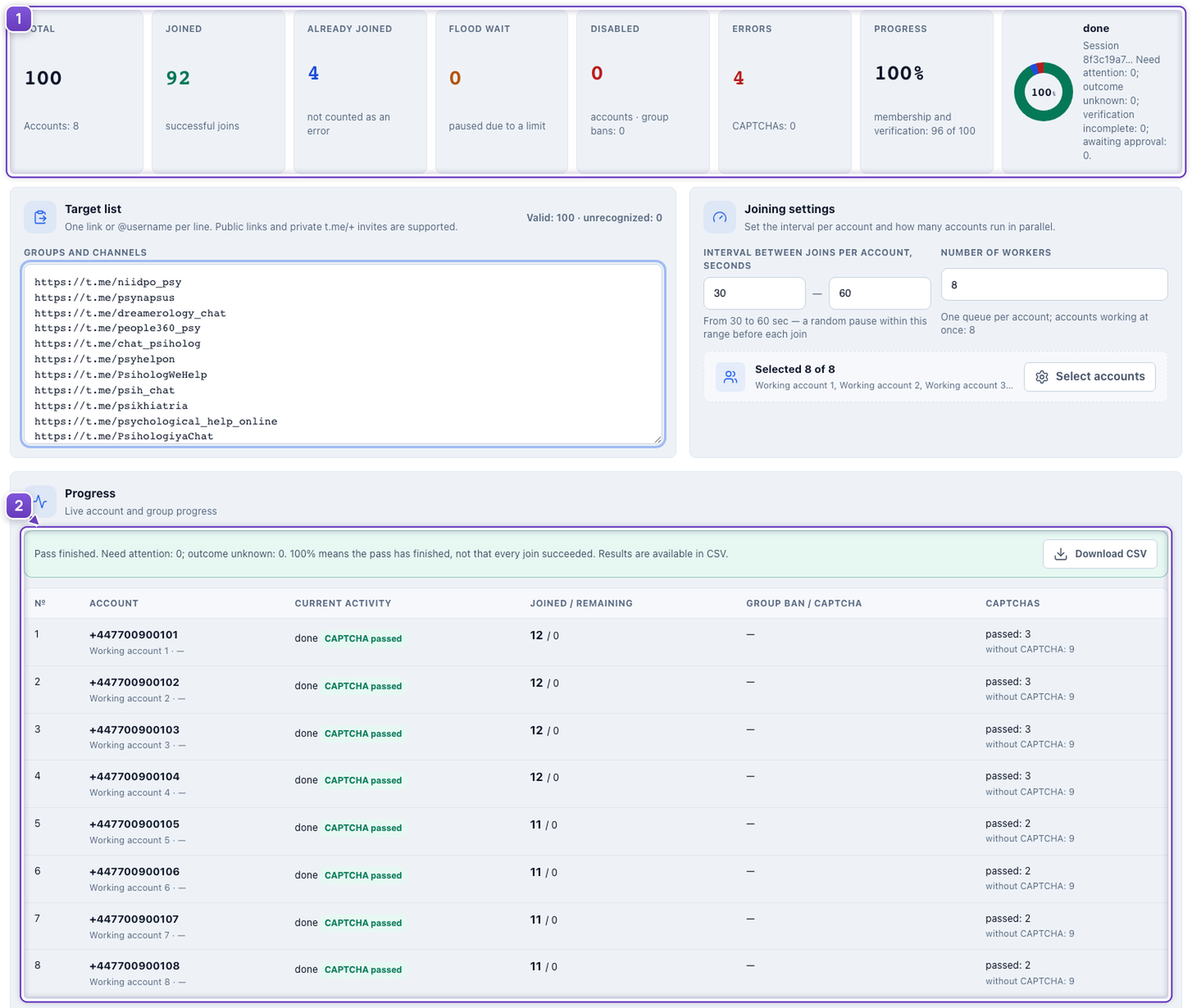
- Overall run progress.
- Per-account results and completed captcha checks.
After joining, use the accounts in your community tasks. Choose a pace that suits your accounts and Telegram's limits.
The list contains real public groups. Run totals and results are illustrative; no actual joins were performed.