
MegaTGAI · Practical guide
Manage Telegram groups with AI: unique content and scheduled posts
Prepare one reference — MegaTGAI helps style your selected groups and publish posts to them. AI varies text and images so your groups do not look like identical copies.
Click a screenshot to enlarge it.
Choose a reference
Under Invite → Groups, specify your reference group. The application uses its name, bio, avatar and posts — faster than styling every group from scratch.
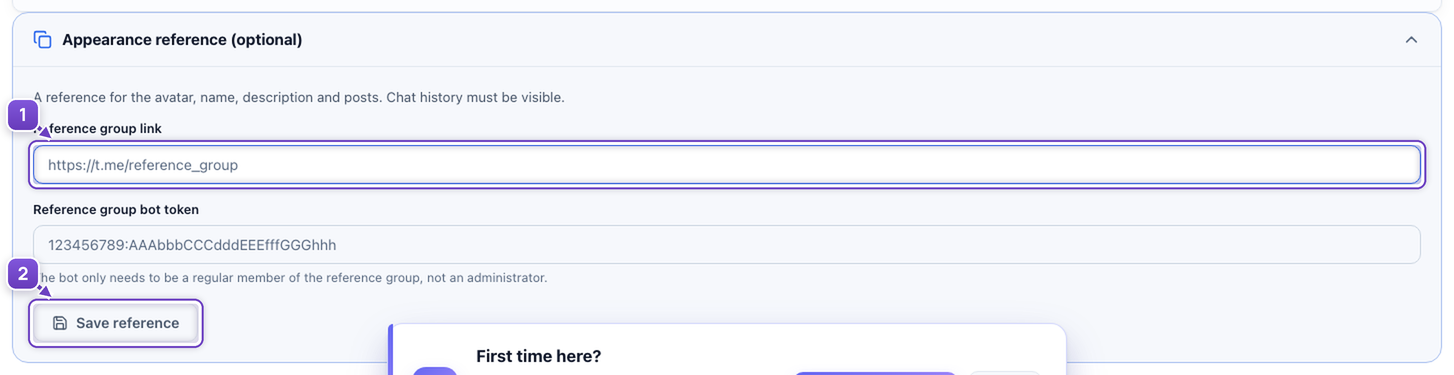
- Enter your reference group link and its bot details.
- Save the reference.
Enable AI variation
Open Settings → Content variation. Choose models and explain what to retain: your offer, style and key facts. Your groups keep the same offer with different presentation.
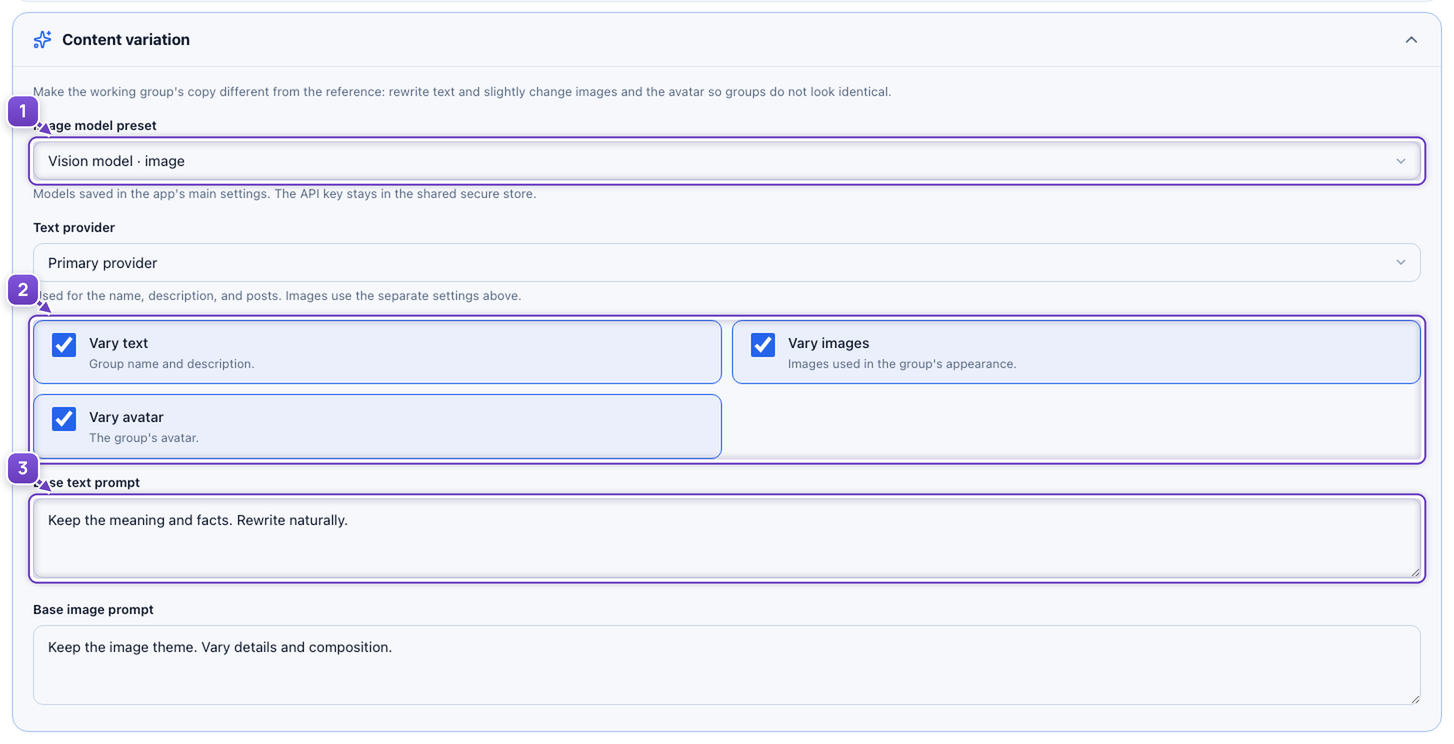
- Select an image model and a text provider.
- Enable variation for text, images and avatars.
- Write short instructions for AI.
Save the settings. Then choose Decorate in Overview and select your groups. Variation avoids identical copies; it does not guarantee protection from restrictions.
Publish from one place
In Follow-up publications, add links to prepared posts. Choose Now or a date and time for each one. Every selected group receives the list, posted as the group without a forwarded label.
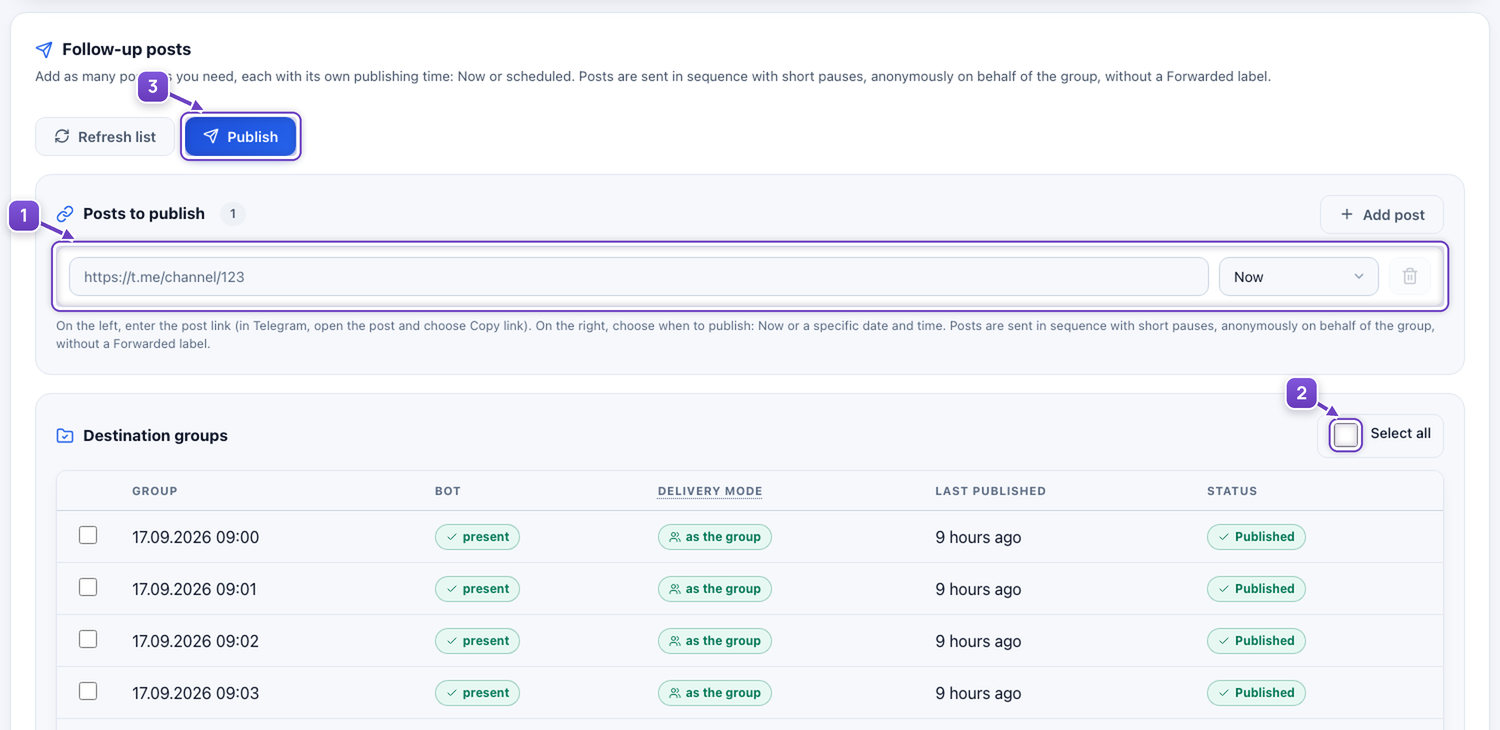
- Add posts and choose their publishing times.
- Select your prepared groups.
- Click Publish.
AI styling and follow-up publishing are separate actions. You do not need to open every group manually to publish your prepared material.
Screenshots show example settings. No access credentials or real publishing are used.