
MegaTGAI · Practical guide
Create Telegram groups and channels automatically
Create groups and channels ahead of time for inviting, your own project, or resale after holding them to age. MegaTGAI handles the repetitive work.
Click a screenshot to enlarge it.
Choose the type and quantity
Open Inviting → Group and channel farming. Accounts and proxies come from the main pool.

- Choose private groups or channels. Each run creates one type.
- Set how many to create per account.
- Choose how many accounts to use.
- Set the delay between creations.
- Click Create.
Hold them to age or put them to use
The application creates private groups or channels named with their creation date and time. This makes it easy to track their age and choose resources for later work or resale.
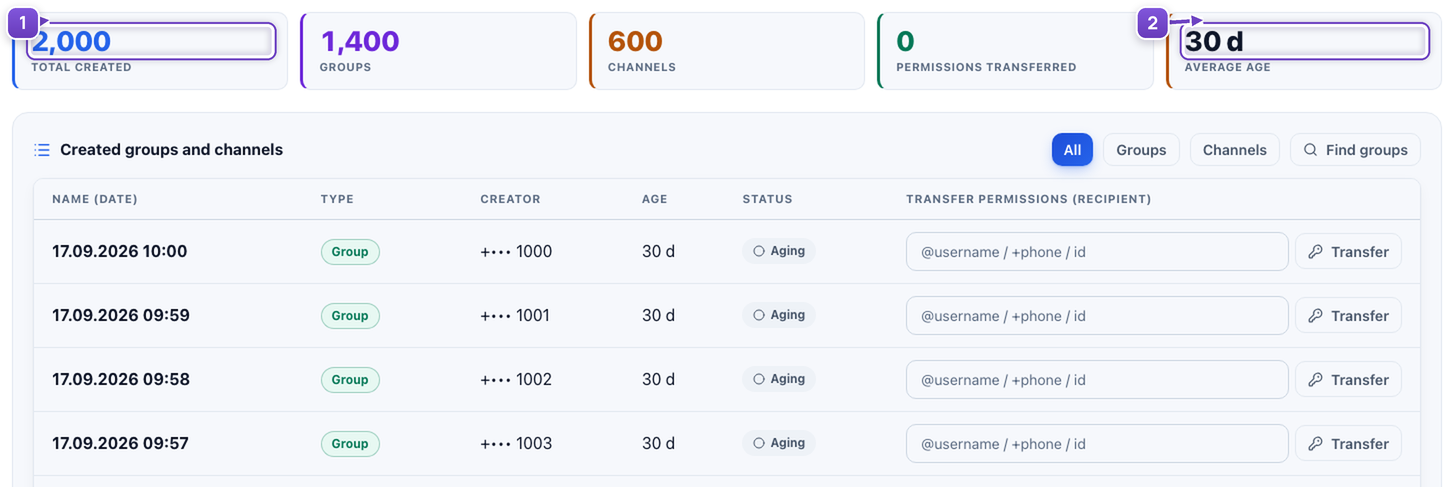
- See the total number of groups and channels created.
- The age counter shows how long ago they were created.
Next: inviting and automated group management
Prepare groups for inviting, style them from a shared template with AI variations, then publish a prepared list of posts to the selected groups. Send immediately or schedule delivery without repeating the work in every group.
Creation, styling and publishing are separate actions in the application.
Screenshots illustrate settings and accumulated results. New private groups are named with their creation dates.