
MegaTGAI · Practical guide
Personalized Telegram outreach: an offer for each prospect
A restaurant needs takeaway packaging. A coffee shop needs branded cups. Give AI the company details so the opening message addresses that business, instead of sounding identical for everyone.
Click a screenshot to enlarge it.
Find companies and business contacts
Copy this prompt into Codex, Cursor, OpenCode or another agent with web search. Replace the audience, offer and region at the top.
WHO WE NEED: owners, managers and purchasing contacts at cafés, restaurants and sushi takeaway businesses.
OUR OFFER: manufacturing packaging customized to the venue's brand.
REGION: [specify].
NUMBER OF COMPANIES: [specify].

Find companies that fit our offer and their published business contact details.

If the environment supports subagents, divide the research by city or business type. Otherwise work sequentially. Open company websites, Contact and About pages, management pages and official Telegram links.

For each company, verify what it does, what it sells and why our offer could be useful. Look for an official Telegram contact or a company, management or purchasing phone number published for business communication. Do not use leaked data or private personal contacts. Never invent usernames, phone numbers, names, roles or facts. Distinguish a direct business contact from a channel, bot or group.

Remove duplicates. Record a source URL for every fact. Clearly mark unconfirmed contacts or roles rather than presenting them as verified.

Produce two outputs:
1. telegram-context.txt: verified Telegram usernames for direct contact only, one per line, using:
@username: company; business activity; verified name and role if available; useful facts; possible reason for our offer; sources: URL
Separate facts from assumptions. Use plain text on one line after the colon. Do not put a table or header inside this file.
2. A separate table of business phone numbers: company | phone | verified contact/role if available | context | source URLs. Do not include phone:context lines in the Telegram TXT.

Finally report the number of companies checked, verified direct Telegram contacts and companies with phone contacts only.
Copied Automatic copying failed. Select the text and copy it manually.
Import contacts together with their context
In Database, paste the prepared @username:context lines. After the colon, include the company name, business activity, contact name and useful details.
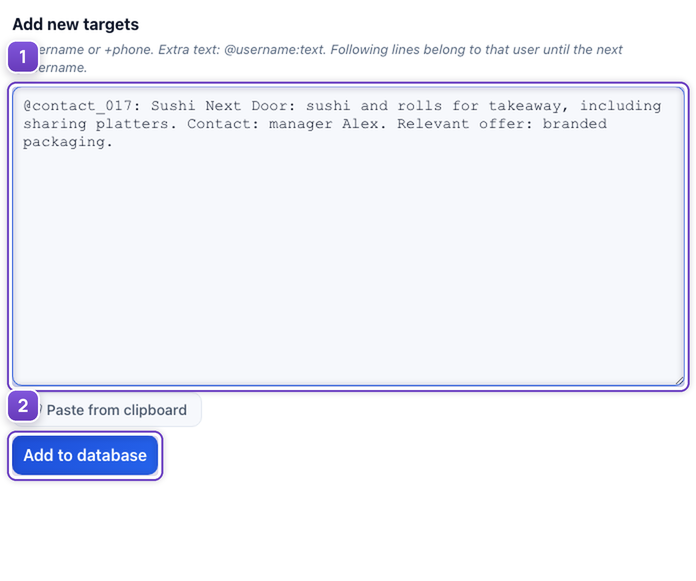
- Paste the contact and company details.
- Add the entries to the database.
This example imports company context as @username:context. The research agent collects and exports business phone numbers in a separate table.
Add [user_context] to the AI instructions
Choose an AI message for the opener and insert the variable. The application uses that recipient's own information from the database.
![Add [user_context] to the AI instructions](/images/tutorials/personalized-outreach/en/02-message.png)
- Explain how to use the company information.
Write a short opener. Recipient information: [user_context]. We manufacture branded food packaging. Mention one verified company fact, offer a relevant packaging option and ask whether they would like details. Do not invent facts or unsupported superlatives.
Continue according to the prospect's interest
Once the prospect is interested, AI sends the prepared production material and asks about their requirements. This example offers branded packaging to a sushi takeaway business.
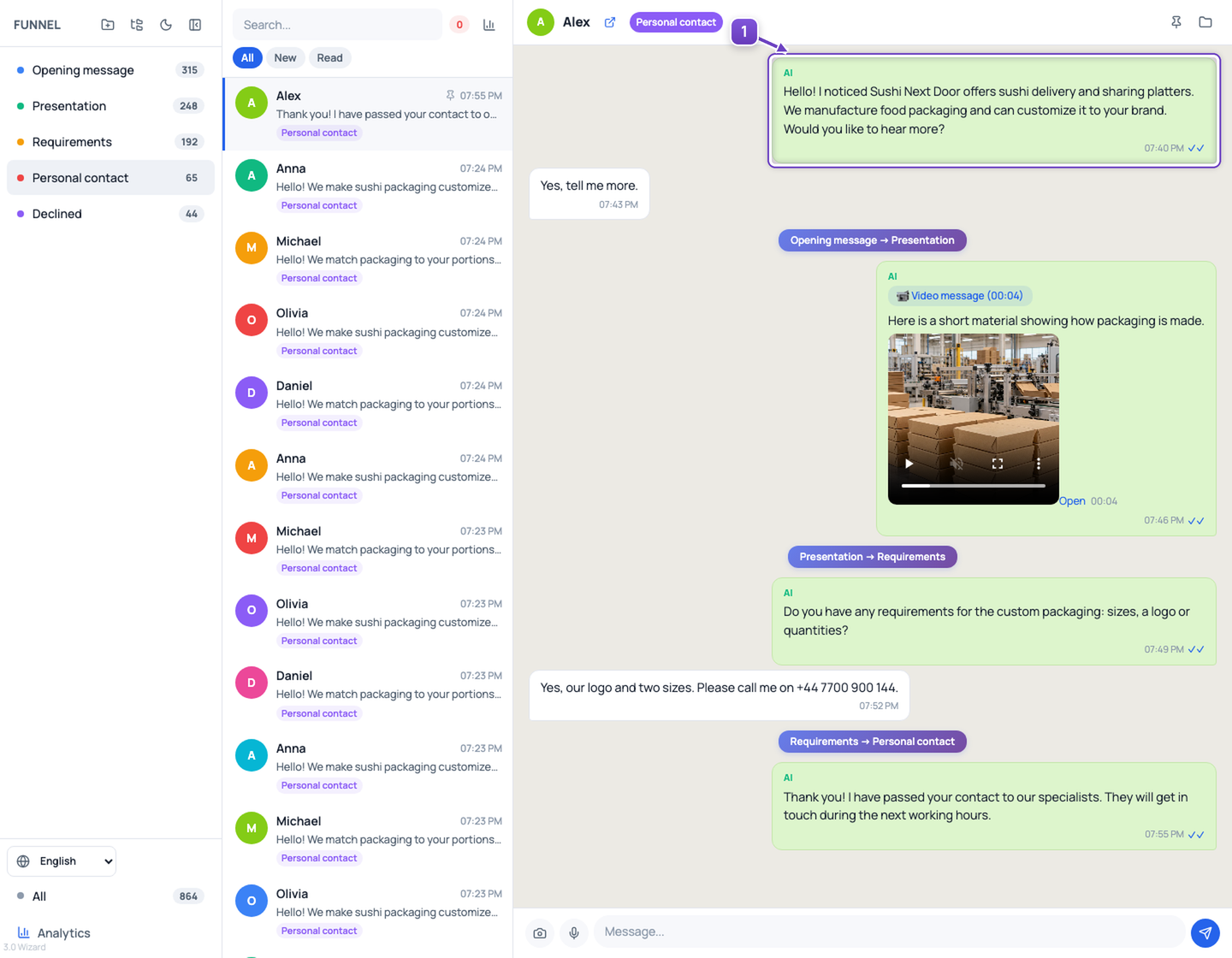
- The opener uses the company details, followed by the material and a question.
Hand the interested prospect over to your team
When the prospect asks for a call, the funnel moves them to Personal contact. AI confirms the handoff, and your employee receives a Telegram bot notification with the number, a short summary and the conversation link.
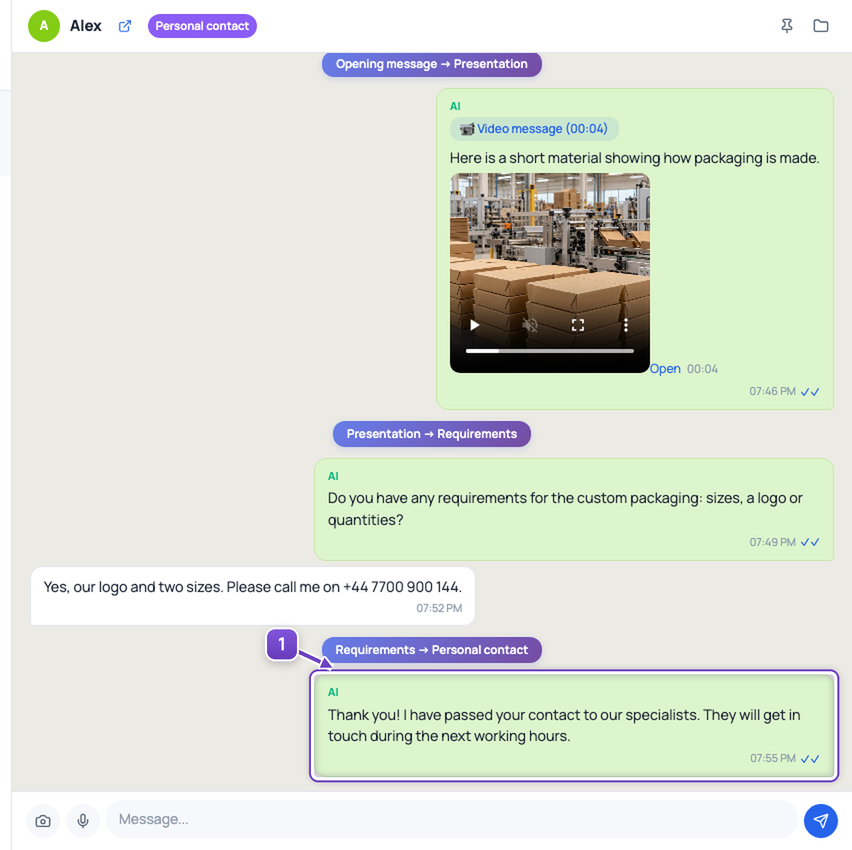
- The contact is handed over: your employee can now follow up.
The Telegram bot notification
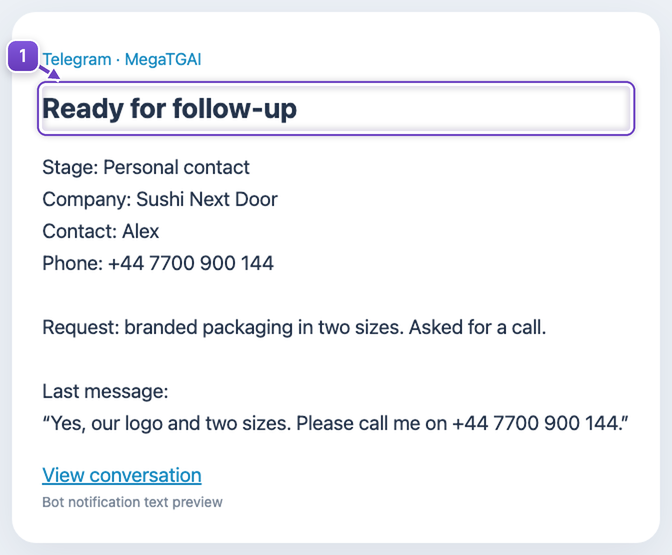
- Add a notification to the Personal contact stage integrations and specify your bot and recipient.
Your employee joins a qualified conversation instead of manually monitoring every chat.
The company, contact and conversation are fictional. The production frame is AI-generated. The notification is a preview of the text delivered by the bot.